I cut an AI agent to one useful loop—and exposed its limits.
With one week to design, I helped define what the MVP would do, what owners could see, and which controls had to wait.

Project snapshot
Scope and ownership
- Product
- Google Business Profile AI Agent
- Duration
- 4 weeks: 1 week of design, followed by build and iteration
- Team
- Product owner, 2 frontend engineers, 2 backend engineers, QA, and me; no dedicated analyst
- I owned
- Product design, user flows, interactions, and user-facing feature behaviour
- We decided together
- The product owner and I agreed on the minimum valuable scope and launch cuts
- Not mine
- The AI initiative, model architecture, model-quality training, pricing, and landing-page copy
- System
- Desktop web, built with the Semrush UI kit
- Status
- Shipped; activation measured; product expanded after the MVP
At a glance
Make the agent's work visible without teaching owners Local SEO.
The problemLeadership had chosen an AI agent, but the first useful MVP boundary was still open.
My decisionsShow completed work, focus the dashboard on understandable signals, and let owners change the publishing schedule.
The result8% of landing-page viewers reached a configured dashboard. This measured activation only; no target or absolute sample is preserved.
Brief and orientation
Leadership chose the agent. We still had to define the first useful release.
Top management had already decided that Semrush would build an AI agent. The product owner set the direction and outlined the first capabilities. We did not compare an agent with checklists, templates, or a managed service.
My job was to turn that mandate into a product a small-business owner could operate. The agent maintained the owner's Google business listing by publishing posts and photos and preparing review replies. Because these actions appeared publicly under the business's name, owners needed to know what the agent had done and where their control ended.
The product launched at half the price of the full Local SEO subscription. This was commercial positioning, not evidence that price caused activation or later growth.
- 01Landing
- 02Google sign-in
- 03Profile analysis
- 04Audit
- 05Payment
- 06Setup
- 07Dashboard
Ship proof of execution before full control
Cut scope without hiding the agent's work
The challenge. A more complete release would let owners preview and edit generated content and give the agent custom instructions. The conference deadline left one design week. Preview, editing, and custom instructions would put the launch scope at risk, so the product owner and I deferred them.
Credible alternativeInclude preview, editing, and user instructions in the MVP. This offered more control but increased scope before a fixed launch.
Chosen directionConnect a profile, configure the agent, and see completed posts, photos, and review tasks on the dashboard.
What I owned. I designed the flow and worked with the product owner to separate the minimum useful loop from the features we would defer.
Why. The shorter loop could establish whether people activated an autonomous workflow and reached the operating dashboard. It protected the fixed launch while still giving the agent a visible job to perform.
Trade-off accepted: owners could confirm that the agent had acted, but they could not inspect or fix its output inside Semrush.
Validation status. The product shipped, but the MVP did not let an owner repair successfully published bad or repetitive content inside Semrush. They had to correct it directly in Google. Technical publication failures followed a separate path: automatic retry, a service-status message if the retry failed, then later resumption without owner action.
Technical failureRetry → service status → resume.
Wrong public resultNo in-product MVP recovery → correct in Google.
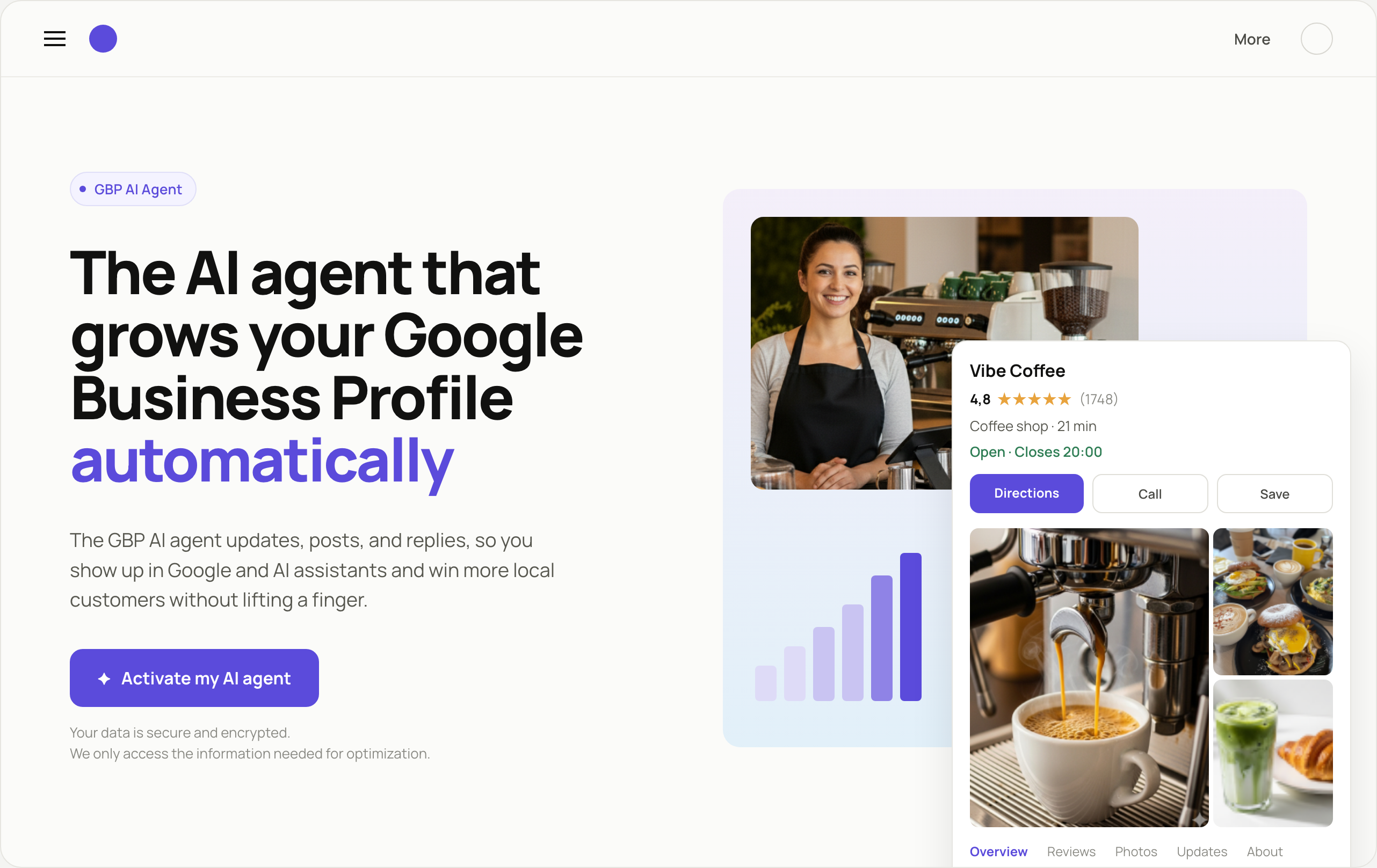
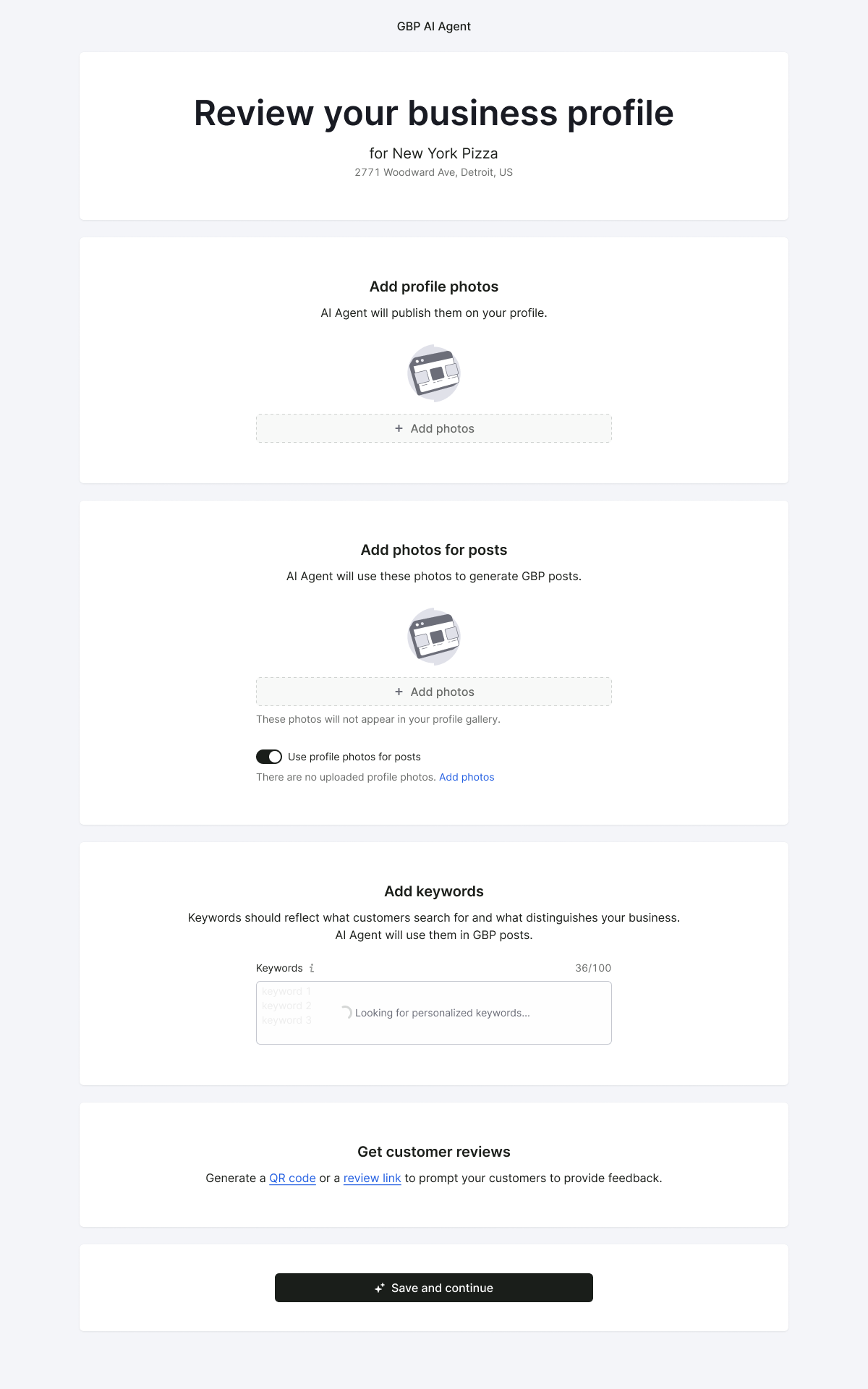
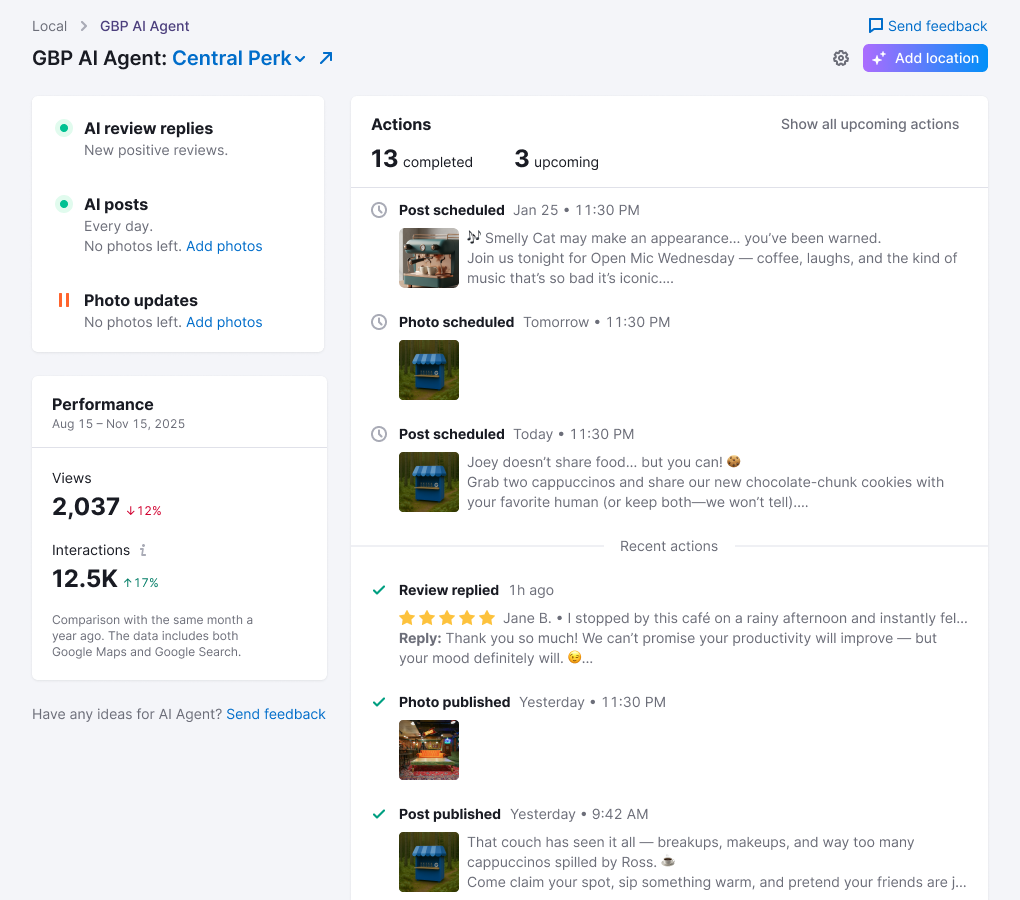
Make the dashboard answer ‘What did the agent do?’
Show completed and planned work
The challenge. The short setup kept activation manageable, but it moved complexity into the background. After setup, owners needed proof that the agent was working, without inheriting a professional Local SEO dashboard.
Credible alternativeExpose a broader SEO control panel with more specialist measures and controls.
Chosen directionUse three familiar Google measures—views, interactions, and average rating—and a chronological list of completed actions.
What I owned. I designed the post-activation dashboard, its metric hierarchy, activity model, and interactions.
Why. Small-business owners already had operational work to do. The AI would handle the specialist tasks; the owner would monitor Views, Interactions, Average Rating, and concrete agent actions instead of operating another toolkit.
Trade-off accepted: the focused version reduced analytical depth. In return, owners could see what changed without learning another marketing toolkit.
OutcomesThree familiar Google metrics instead of an SEO control panel.
ProofRecent Actions made background execution visible.
LimitOwners saw content only after the action happened.
The next iteration needed foresight, not more metrics.
After launch, Average Rating was removed because it changed too slowly to justify permanent space. Later feedback asked to see planned content before publication rather than add more metrics. The later dashboard added upcoming work and previews above recent actions.
Validation status. Later feedback asked for previews of planned content rather than more metrics; the feedback method and sample are not preserved. I treat the later preview and editing work as a product iteration, not as a quantified trust improvement.
Keep publishing cadence adjustable
Let businesses change the schedule
The challenge. Defaults were necessary because many owners would never open settings, but business rhythms differ. A café may have frequent events; a watchmaker or plumber may have few meaningful updates.
Credible alternativeUse one fixed schedule for every business. It reduced interface and operational complexity but increased the risk of repetitive content for businesses with fewer updates.
Chosen directionStart with defaults and let the owner adjust the publication cadence.
What I owned. I designed the cadence controls and how owners managed automated activity. Routine publication types initially ran every seven days; review drafts were prepared within an hour.
Why. Frequency had to remain part of the owner’s control boundary. The initial rhythm drew on Google Business Profile community best-practice guidance, not a formal Google frequency rule.
Trade-off accepted: adjustable settings increased product complexity. In return, the schedule stayed inside the owner's control boundary.
Validation status. We did not establish that changing frequency improved Google ranking or reduced repetitive content.
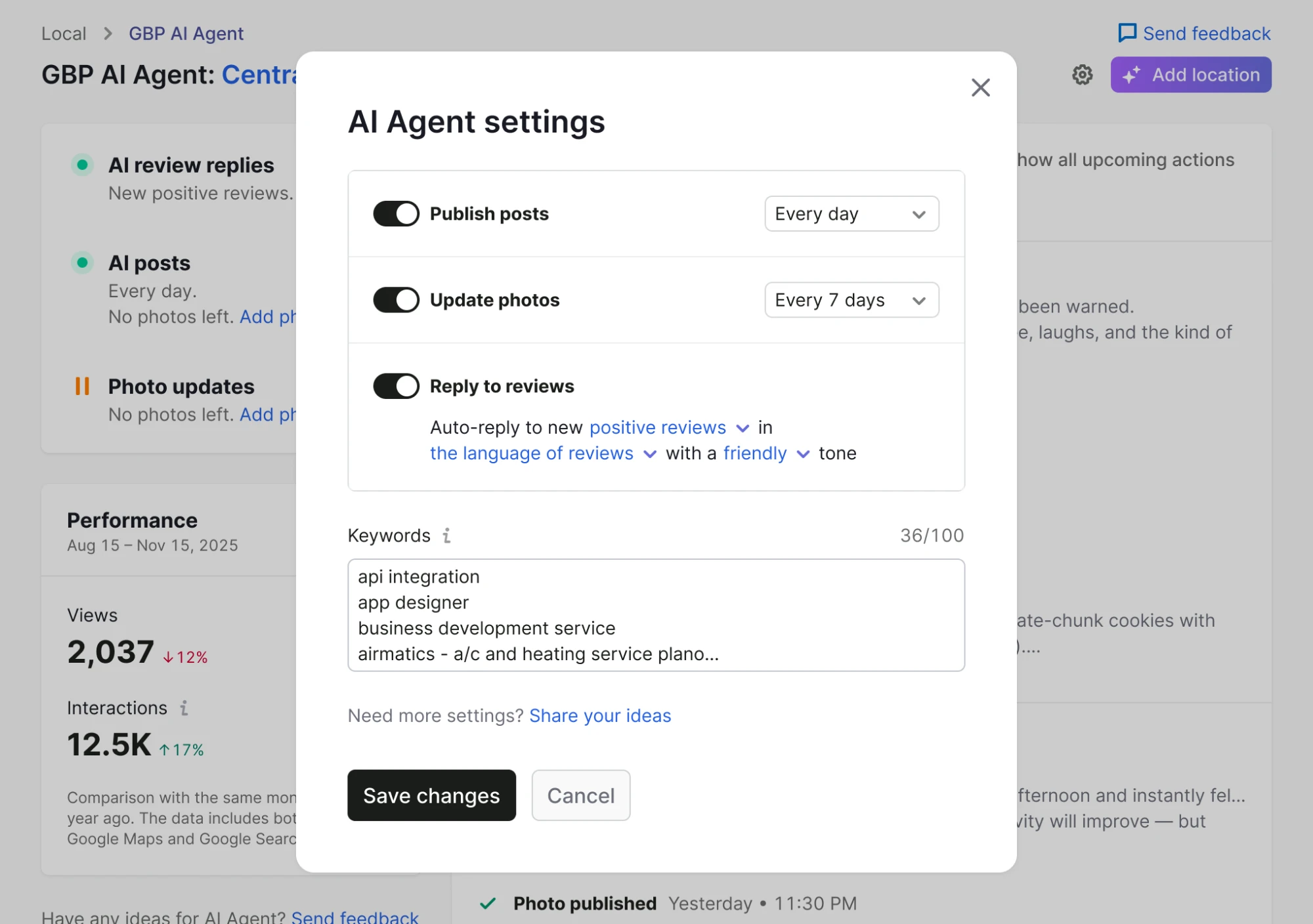
Cadence is set per activity, not once for the whole agent: posts and photos carry separate schedules, and review replies expand into their own tone and language controls.
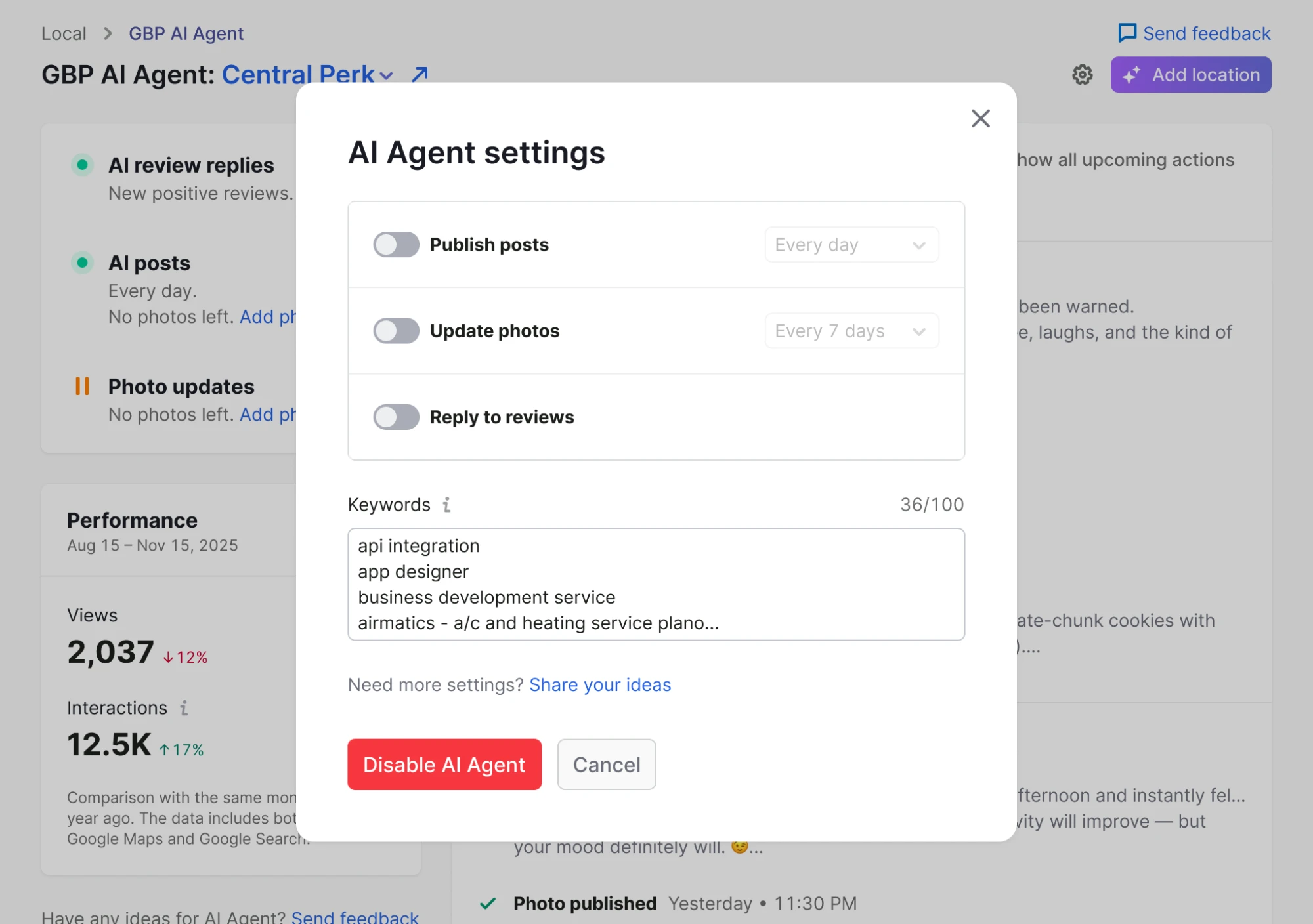
Switching everything off is treated as a decision, not a side effect. The cadence controls grey out, the review sub-settings collapse, and the primary action changes from Save changes to Disable AI Agent—so an owner cannot end up with a silently dormant agent.
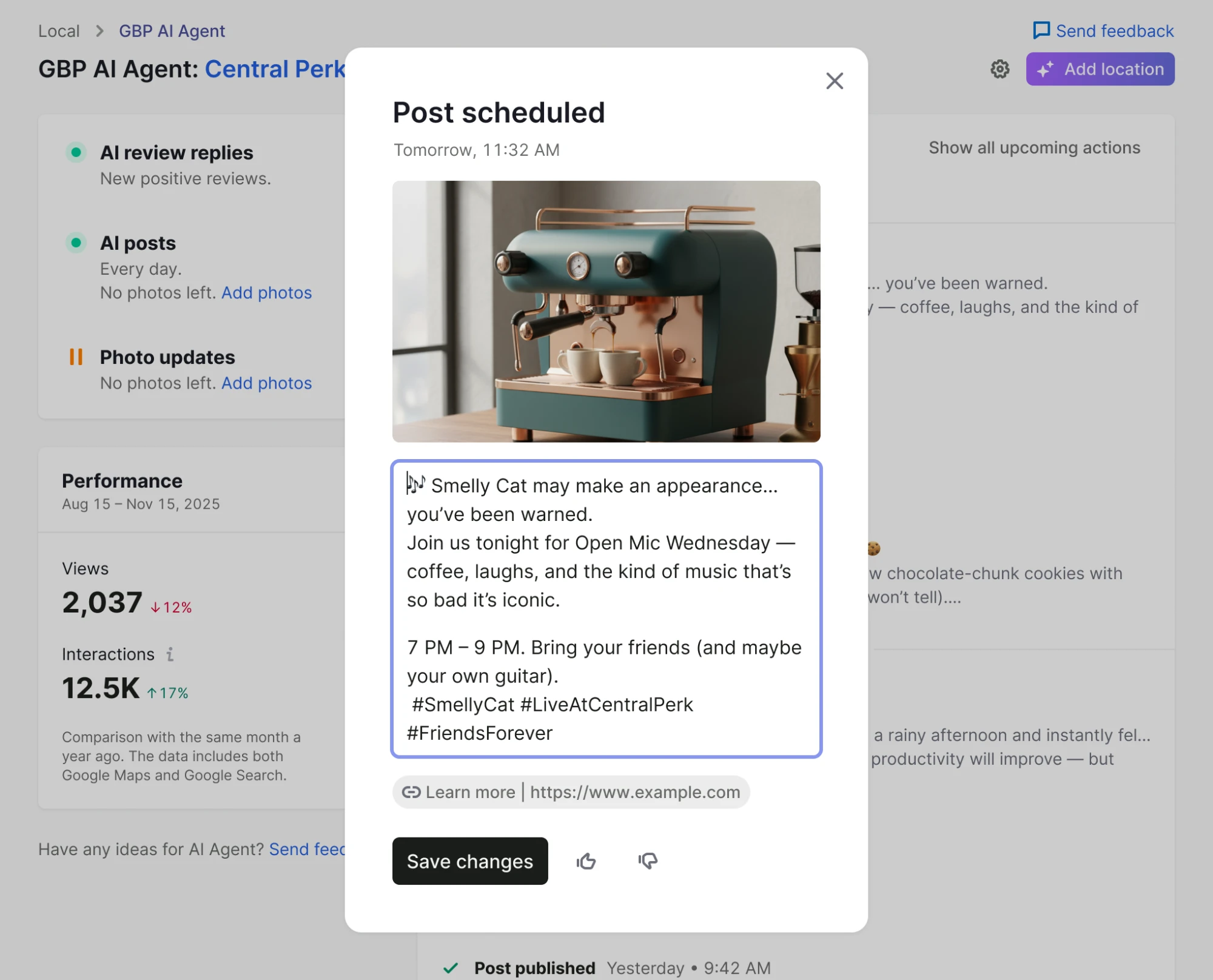
Visual boundary: this is a post-MVP settings state. Its example frequencies do not prove the original seven-day default.
Outcome and limitations
What 8% does—and does not—prove
of people who saw the landing page later reached the dashboard during the initial measurement.
- Definition
- Landing page seen → dashboard seen
- Baseline
- None; this was a new product
- Target
- None set
- Source
- GA4 and a SQL query run by me because the team had no analyst
This validates arrival at an operating agent, not trust in generated content, ranking improvement, retention, or a causal pricing effect.
Post-MVP evolution
Later evidence moved the product from execution status to preview and editing.
After several months, the team used analytics, reported user growth, and qualitative feedback to prioritise an improvement scope. Exact growth numbers, dates, and feedback sample are unavailable.
I ownedThe post-editing interface, a growth task that surfaced a scheduled post for review, and an agent-setup onboarding step.
I contributedThe redesign of the agent’s list output and performance metrics.
Not claimedAll later photo, keyword, instruction, and activation work.
Reflection
Control cannot exist only at setup.
What I would change. I would still protect the deadline, but describe the MVP precisely: it measured activation of an autonomous workflow, not trust in output quality.
What remained unresolved. The largest gap sat between technical success and a correct public result. The product could recover from a failed publication, but it could not repair successfully published bad content inside Semrush.
What I would measure next. Preview, edit, approval, and correction behaviour, connected to retention—rather than treating dashboard arrival as a proxy for trust.
Appendix
Evidence boundaries
How activation was measured
I defined activation as reaching the dashboard after seeing the landing page. With no analyst on the team, I combined GA4 events with my own SQL query. I use the result as an early activation signal, not a comparative success benchmark.
What the MVP included
Completed post, photo, and review work; cadence controls; and automatic retry for technical publication failures.
What the MVP deferred
Content preview, in-product editing, custom AI instructions, and in-product recovery for successfully published bad content.
Ownership boundary
The negative-review draft/edit/publish flow existed before this project and was integrated into the agent ecosystem. A separate model team owned model training and content-quality improvements.
Next case study
 QR payments for merchants and cashiers